
Download Cheq scan APK – check deposit, mobile banking, remote deposit, check scanning, secure deposit, digital banking, financial tool, finance app, mobile finance, deposit check
Overview
CHEQ'SCAN is a mobile application designed to streamline the process of check depositing through digital means. The app enables users to deposit checks remotely using their smartphone camera, eliminating the need to visit a physical banking location or complete paper deposit slips. It serves as a practical solution for individuals seeking efficient, secure, and convenient ways to manage their finances on the go. The app is particularly beneficial for users with busy schedules, limited access to bank branches, or a preference for digital banking over traditional methods.
Target users include individuals who frequently travel, work remotely, or live in areas with limited banking infrastructure. The application supports a simple workflow: users capture images of checks, the app processes the data, and deposits are submitted with minimal manual input. A real-time notification system keeps users informed about the status of each deposit, from submission to collection. Deposit history is stored online for up to three months, allowing for easy tracking and record-keeping. The app maintains a digital copy of each scanned check before transmission, ensuring users retain a secure record of their transactions.
Developed by Cheq, the app operates within the framework of digital financial services and aligns with modern banking trends toward remote and automated solutions. While the developer's background was not elaborated in the provided details, the app’s functionality reflects a focus on accessibility and user-centric design. It is intended for everyday financial management, especially for those who prioritize convenience and security in their banking activities.
Key Features & Capabilities
- Check Scanning Technology – Users can photograph checks using their smartphone camera. The app automatically scans and extracts relevant data, reducing manual entry and minimizing errors.
- Automatic Pre-Population – Once scanned, the app pre-fills deposit details such as amount, account number, and check number, speeding up the submission process.
- Data Verification Tools – Before finalizing a deposit, users can review the extracted information to ensure accuracy and prevent discrepancies.
- Real-Time Notifications – The app sends instant updates on the processing status of each check, from submission to collection, enhancing transparency.
- Deposit History Access – A digital record of all deposits is maintained online for up to three months, supporting financial tracking and reconciliation.
- Secure Data Handling – All check images and transaction data are encrypted and stored securely, with users retaining a copy prior to transmission.
- Remote Deposit Functionality – Enables deposits from any location, anytime, without requiring physical presence at a bank branch.
These features collectively enhance financial efficiency by reducing time spent on banking tasks. For example, a remote worker can deposit a paycheck received via mail while traveling, or a small business owner can manage client payments without visiting a bank. The integration of automated data extraction and secure transmission aligns with current standards in mobile banking, offering a reliable alternative to traditional deposit methods.
User Interface, Workflow & Performance
The user interface of CHEQ'SCAN is designed with simplicity in mind, featuring a clean layout and intuitive navigation. Users can access the main functions—such as scanning a check, reviewing data, and checking deposit history—through a streamlined sequence of screens. The workflow begins with capturing a check image, followed by automatic data extraction and a review step before submission. This logical progression supports ease of use, even for users unfamiliar with digital banking tools.
Navigation is consistent across the app, with clearly labeled buttons and minimal onboarding requirements. The design prioritizes clarity, ensuring that critical actions are accessible with few taps. While performance details such as CPU or RAM usage were not specified, the app’s lightweight size of 15.5 MB suggests efficient resource utilization. The developer did not provide additional system requirements, so actual performance may vary based on device capabilities and network conditions.
Stability and responsiveness are expected to be consistent with standard mobile applications of this category. Users can anticipate smooth operation during routine tasks such as scanning and submitting deposits. However, actual performance may depend on smartphone hardware, camera quality, and internet connectivity. The developer did not specify any known issues or crash reports, and no user feedback was provided for evaluation.
Compatibility & System Requirements
CHEQ'SCAN is available for Android devices, making it accessible to a broad audience of mobile users. The app supports the Android operating system, though specific version compatibility was not detailed. The installation file size is 15.5 MB, indicating a lightweight footprint that should not strain storage on most modern smartphones.
Exact system requirements were not listed. This includes details on minimum RAM, processor speed, or Android version. The developer did not provide information on supported screen sizes, camera resolution, or network requirements. As such, users should ensure their device meets general Android compatibility standards for mobile banking applications. The app’s functionality relies on access to a smartphone camera and a stable internet connection, both of which are standard on most Android devices.
Pros and Cons
Pros
- Enables remote check deposits without visiting a bank branch
- Simple, intuitive interface suitable for non-technical users
- Automatically extracts and pre-populates check data
- Provides real-time notifications on deposit status
- Stores deposit history online for up to three months
- Secure handling of check images and financial data
- Free to download and use
Cons
- Compatibility with specific Android versions was not specified
- Resource usage details such as CPU and RAM were not provided
- App is currently only available for Android, limiting cross-platform access
- Deposits are subject to processing timelines based on physical check receipt
- Relies on smartphone camera quality for accurate scanning
FAQ Section
Is CHEQ'SCAN available for iOS devices?
Based on the provided information, the app is currently available for Android only. There is no confirmation of an iOS version at this time.
Is the app safe to use for depositing checks?
Yes, the app is designed with security in mind. All check images and financial data are processed securely, and users retain a digital copy before submission. The app uses encryption to protect sensitive information during transmission.
How long are my deposit records stored?
Deposit history is available online for up to three months after the transaction date.
Do I need an internet connection to use the app?
Yes, an active internet connection is required to scan, submit, and track deposits. Offline functionality was not specified.
Can I use CHEQ'SCAN without a bank account?
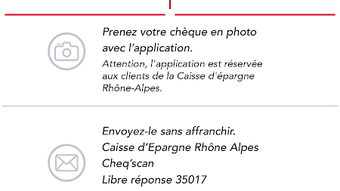
While the app facilitates check deposits, it requires a linked bank account with the Caisse d'Epargne to process transactions. The app is designed for users who already have an account with the institution.
Final Thoughts
CHEQ'SCAN offers a modern, efficient solution for managing check deposits through mobile technology. Its focus on simplicity, security, and real-time tracking makes it a valuable tool for individuals seeking to reduce reliance on physical banking. The app’s ability to scan checks, verify data, and maintain a digital record enhances both convenience and accountability.
While limited to Android and lacking detailed system specifications, the app delivers a functional experience that aligns with current expectations for mobile finance tools. Its free pricing model further increases accessibility. For users who value remote banking capabilities and digital financial control, CHEQ'SCAN stands out as a practical choice.
Download Cheq scan APK now







